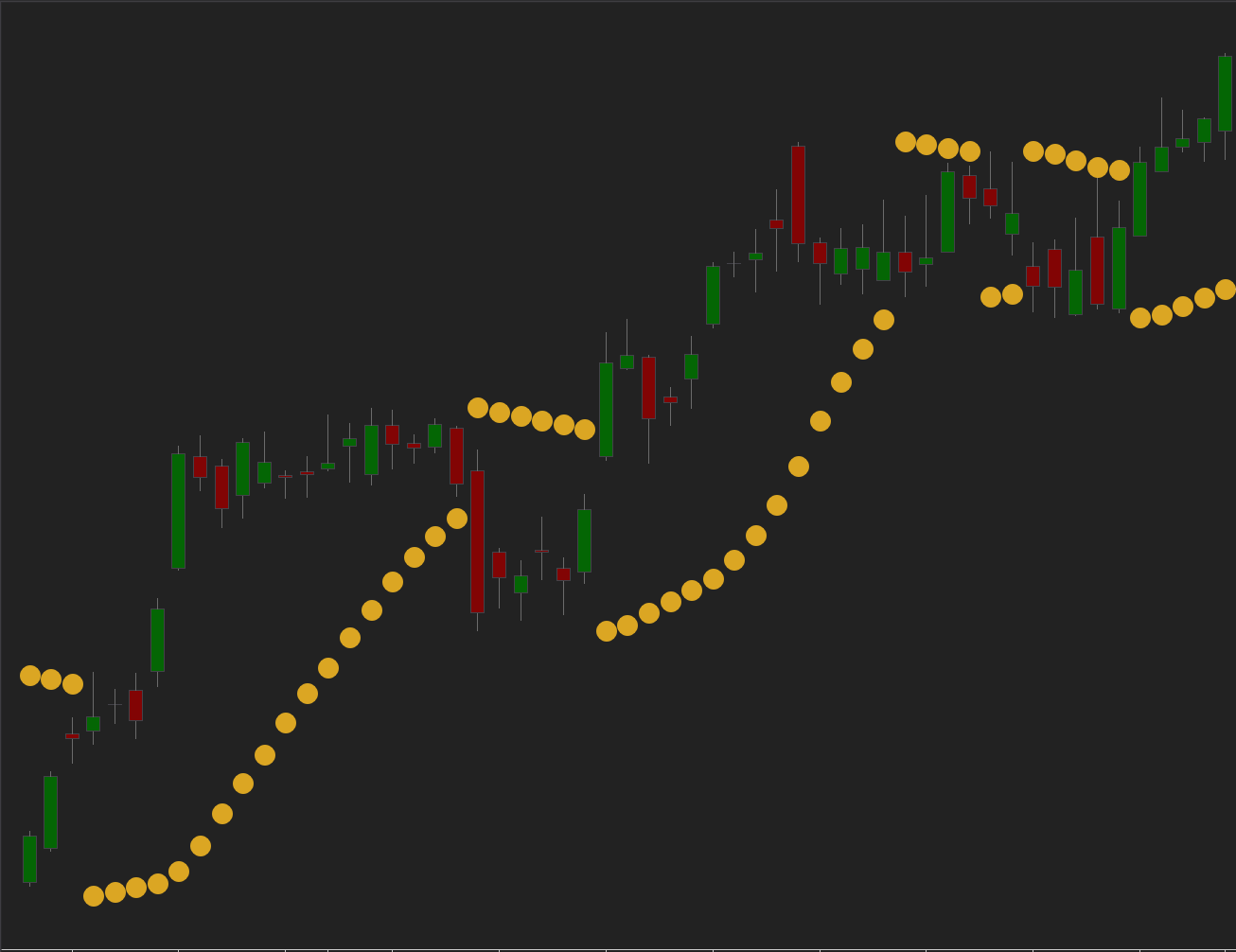
Description
A clean, rules-driven trend-following system built on the classic Parabolic SAR indicator.
The strategy identifies directional phases by tracking how SAR dots shift relative to price. When SAR flips below price, it signals a potential bullish trend; when it flips above, it suggests a bearish phase. This creates a straightforward framework that follows trends early and exits when the trend weakens or reverses.
Parabolic SAR parameters are fully customizable, letting you adjust acceleration and step values to match your preferred level of responsiveness — from slow, stable trend detection to fast, agile swings.
The strategy works across all markets and timeframes, making it suitable for intraday traders and swing traders alike.
How to use
On the first use, paste you license code into the License field in strategy parameters.
- Set Acceleration — the starting sensitivity of the Parabolic SAR.
- Adjust AccelerationStep — how quickly SAR accelerates as the trend develops.
- Define AccelerationMax — the maximum allowed acceleration during extended trends.
- Choose the entry mode (Limit or Market) and configure your preferred risk settings.
- Enable optional modules such as profit targets, stop losses, plots, or color settings.
- Run backtests or live trading – the strategy executes and manages trades automatically.
Indicator Parameters
| Parameter | Description |
|---|---|
| Acceleration | Base sensitivity of the SAR. Higher = more reactive from the very start, lower = smoother and slower. |
| AccelerationStep | How quickly SAR increases its acceleration as price continues in the trend direction. Higher = faster tightening of SAR → earlier exits and more signals, lower = steadier, smoother trend tracking. |
| AccelerationMax | The upper limit of SAR acceleration. Controls how tightly SAR can follow price during long, strong trends. Higher = very responsive in extended moves, lower = more conservative. |
Trading Parameters
| Parameter | Description |
|---|---|
| Trading | Entry Type | Market = fastest execution. Limit = controlled entry at your price. |
| Trading | Profit Target | Locks in gains at your chosen distance. Optional. Supports Limit and MarketIfTouched. |
| Trading | Stop Loss | Manages downside risk. Optional. Stop – standard exit. Simulated-StopLoss – helps avoid poor fills in thin markets. |
| Additional | Show or hide MA lines on the chart, fully customizable for clean visual workflow. |